A BrowserStack alternative for everyday responsive testing
BrowserStack gives QA teams remote browsers and physical devices. MobileReady gives designers and developers fast simulated device views in the tab they already use. Here is the honest difference—and when each tool earns its place.
Free plan · No account required · Chrome, Firefox, and Microsoft Edge
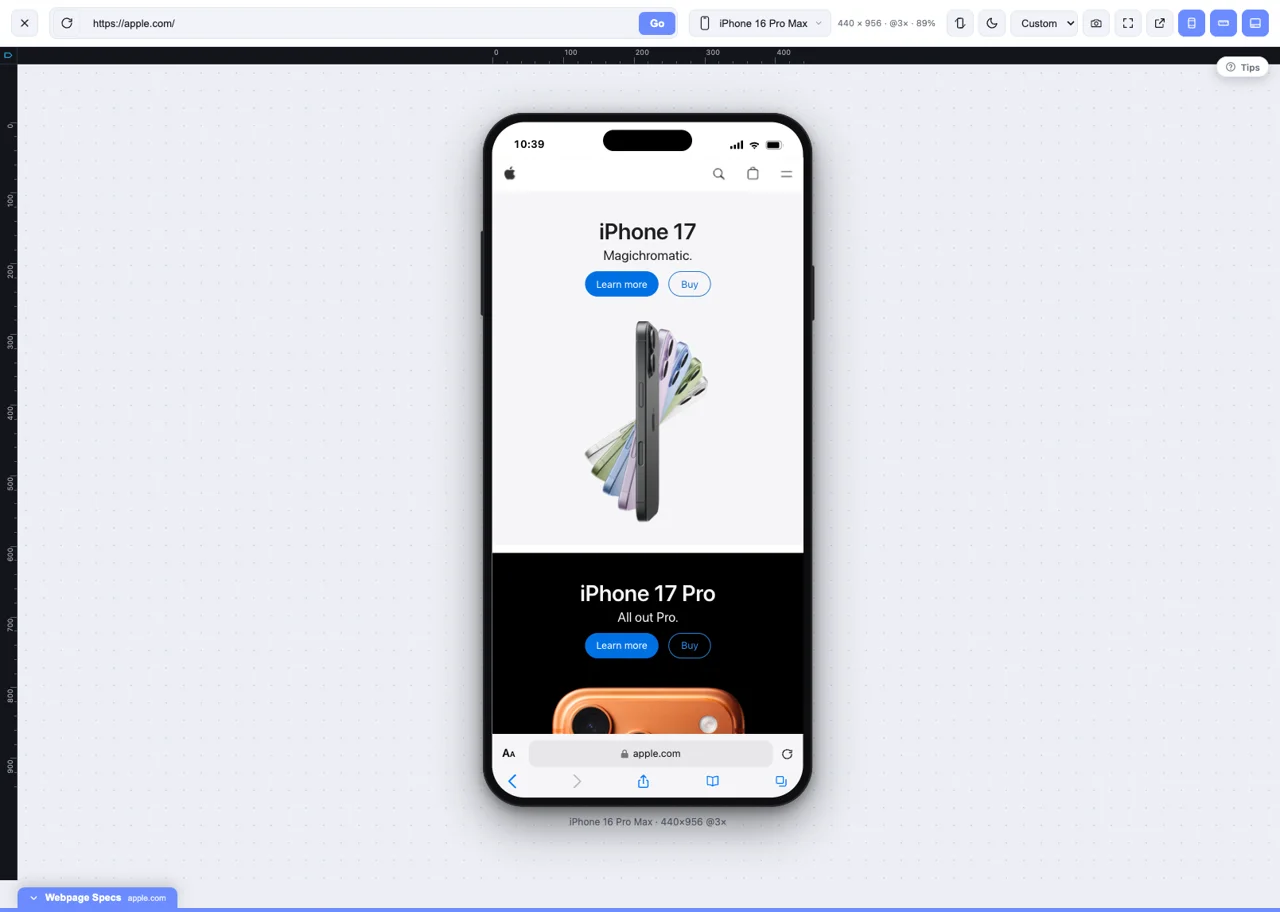
What changes with a local simulator
No remote session
Your page stays in your browser. Switch device views without waiting for a remote phone or browser session.
Localhost stays local
Test the tab you already have open, including localhost and staging behind your existing access controls.
Built for visual iteration
Check breakpoints, align layouts, capture screenshots, and prepare client-ready demos in one workflow.
MobileReady vs BrowserStack
These products overlap on responsive website checks, but they are not identical. MobileReady prioritizes speed and presentation; BrowserStack prioritizes broad, remote compatibility testing.
| Capability | MobileReady | BrowserStack |
|---|---|---|
| Primary purpose | Fast responsive simulation and presentation | Remote browser and real-device testing |
| Where the page runs | Locally in your current browser tab | In a remote cloud session |
| Physical mobile devices | No — simulated device views | Yes — available through real-device products |
| Safari and WebKit-specific bugs | No — Safari support is coming soon | Yes — with supported Apple devices and Safari sessions |
| Everyday breakpoint checks | One-click access to 70+ preset frames | Available by opening a remote session |
| Localhost and private staging | Directly in the current tab | Typically requires BrowserStack Local or network setup |
| Multiple device views | Compare simulated views in your browser workflow | Depends on product and parallel-session allowance |
| Screenshots and client demos | HD captures, scrollshots, annotations, and presentation mode | Screenshots and session recordings for testing evidence |
| Automated testing | No | Yes — including established browser and mobile automation workflows |
| Getting started | Free plan; no account required | Trial and paid products vary by testing need |
Product availability and BrowserStack plans can change. Check BrowserStack’s official product and pricing pages for current limits and rates.
Which should you choose?
Choose MobileReady for daily visual work
- Checking responsive layouts throughout the day
- Capturing framed screenshots and full-page scrollshots
- Using rulers, inspection, live styling, and presentation tools
- Working on localhost without configuring a remote tunnel
Choose BrowserStack for compatibility QA
- Reproducing issues on a specific operating system or browser engine
- Validating Safari and WebKit behavior on Apple hardware
- Testing native mobile apps and device-specific behavior
- Running automated browser or mobile test suites
The practical answer is often both
Use MobileReady for fast design iteration and stakeholder-ready captures, then verify release-critical flows on physical devices or a real-device service. Viewport simulation does not replace final testing on physical devices or Safari/WebKit.
Try MobileReady in three steps
See what a local simulator can cover before adding more tools to your testing stack.
- 01
Install the extension
Choose Chrome, Firefox, or Microsoft Edge. Safari support is coming soon.
- 02
Open the page you need to test
Use a live site, private staging page, or localhost project in your normal browser tab.
- 03
Switch, inspect, and capture
Compare realistic device frames, check alignment, and export the view for feedback.
BrowserStack alternative questions
Can MobileReady replace BrowserStack?+
For daily responsive layout checks, screenshots, and client demos, it may cover the work you use most often. For real-device validation, Safari/WebKit issues, mobile app testing, or automated test suites, BrowserStack serves a different and broader QA need.
Is MobileReady a free BrowserStack alternative?+
MobileReady has a free plan for responsive website simulation. It is an alternative for layout-focused work, not a free substitute for BrowserStack's real-device cloud or automation products.
Can I test localhost without a tunnel?+
Yes. Because MobileReady works inside your current tab, localhost, private staging pages, and sites behind your existing VPN remain in your normal browser workflow.
Can it reproduce an iOS Safari bug?+
No. An iPhone frame in MobileReady is a simulated device view rendered by your current browser. Final QA for Safari, WebKit, keyboards, payments, sensors, and device-specific behavior should use a physical device or a real-device service.
Should a team use both tools?+
Often, yes. MobileReady is suited to frequent design and breakpoint checks during development. BrowserStack or physical devices can then handle final compatibility validation before release.
Start with the fast responsive checks
Install MobileReady free, test your own page across 70+ realistic device frames, and decide where real-device testing is still necessary.
BrowserStack is a trademark of BrowserStack Inc. MobileReady is not affiliated with or endorsed by BrowserStack.